


Smarter Cable and Tube Labelling for Singapore Worksites

You are halfway through a wiring job when someone asks, “Which cable goes where?”
You trace a few lines, squint at a faded label, and realise the text has rubbed off again.
It sounds minor, but anyone who has worked on electrical panels, control cabinets, or plant maintenance knows how often this happens. Every time it does, it costs time, breaks concentration, and increases the risk of mistakes.
That is why clear, durable cable and tube labelling matters on real worksites. In Singapore’s fast-paced industrial and commercial environments, good labelling is not just about neatness. It supports safety, compliance, and long-term efficiency.
At Brother, we work with electrical, maintenance, and engineering professionals across Singapore who face this exact issue. Most label makers are built for light office use, not real worksite conditions. Brother’s Tube and Cable ID Printers were designed to change that. They are built to last, easy to use, and made for professionals who need things done right the first time.
Why Proper Cable and Tube Labelling Is Not Optional
In theory, cables are always labelled properly. In reality, labels are often rushed, handwritten, or printed with office label makers because they seem faster at the time.
The problem usually appears months later.
When labels fade, peel, or become unreadable, technicians are forced to trace cables manually during maintenance or fault finding. This slows down work, increases downtime, and creates unnecessary risk, especially in critical systems.
Clear, consistent labelling helps to:
- Reduce wiring and reconnection errors
- Speed up troubleshooting and maintenance
- Improve safety for technicians and operators
- Support compliance with site and industry standards
Once you have dealt with a late-night fault call where nothing is labelled clearly, it becomes hard to see labelling as a “nice to have”.
Common Cable and Tube Labelling Challenges on Worksites
-
Labels fade in harsh environments
Heat, humidity, dust, and frequent handling cause many cable labels to fade, peel, or become unreadable over time.
-
Handwritten labels create confusion
Inconsistent handwriting and abbreviations make cable identification difficult during maintenance and troubleshooting.
-
Office label printers are not worksite-ready
Standard label makers are designed for office use, not electrical panels, plant rooms, or industrial conditions.
-
Maintenance takes longer than necessary
Unclear labels force technicians to trace cables manually, increasing downtime and labour time.
-
Higher risk of errors and safety issues
Poor labelling increases the chance of incorrect disconnections and avoidable mistakes.
-
Problems appear long after installation
Labelling shortcuts often cause issues months or years later during servicing.
A Smarter Way to Label Cables and Tubes
This is where dedicated tube and cable ID printers come into play.
The Brother PT-E850TKW Tube and Cable ID Printer is designed specifically for professional environments. Instead of handwritten markers or office tapes, it produces clear, consistent labels on both PVC tubes and laminated tapes. These labels stay readable long after installation.
Designed for Real-World Use, Not Just the Office
One of the first things technicians notice is how straightforward the printer is to use. There is no complicated setup or steep learning curve.
You can:
- Print directly using the built-in keyboard
- Connect to a computer for more detailed layouts
- Use wireless connectivity with mobile devices
This flexibility matters on busy sites. Sometimes labels are printed in the workshop before installation. Other times, updates are made on-site during maintenance. One device that handles both situations helps teams work faster with fewer interruptions.
See It in Action
Good labelling is one of those things you only notice when it goes wrong. If you want to avoid that problem altogether, take a closer look at how professional tube and cable labelling fits into your workflow. Visit our website using the button below to learn more or to schedule a demo and see the PT-E850TKW in action on real worksite applications.
Useful Links
- Brother PT-E850TKW Product Page
- Brother PT-E850TKW User Manual
- Brother P-touch Editor Software
- Brother TZe Laminated Tapes
- Electrical and Network Infrastructure Labelling
FREQUENTLY ASKED QUESTIONS
Professional labelling ensures cables remain clearly identified over time. It reduces errors during maintenance, speeds up troubleshooting, and supports safer working conditions, especially in complex or critical systems commonly found on worksites.
The Brother PT-E850TKW Industrial Tube Printer is designed specifically for professional and industrial environments. Unlike office label printers, it produces durable tube and laminated tape labels that withstand heat, humidity, and frequent handling on real worksites.
Yes. The Brother PT-E850TKW supports printing on PVC tubes as well as laminated label tapes. This allows teams to manage cable identification, panel labels, and equipment marking using a single, dedicated device.
No. The Brother PT-E850TKW is useful for projects of all sizes. Whether for large installations or smaller upgrades, clear and durable labelling helps make future maintenance, troubleshooting, and handovers much easier.

Durable Labels and Tube Marking Solutions That Last
In industrial workplaces, labels are expected to last — but many fail under heat, cleaning, and daily handling. Durable laminated labels play an important role in maintaining clear identification and supporting 5S practices over time. Learn how the Brother PT-E850TKW helps industrial teams in Singapore create long-lasting labels and tube markings that keep workplaces organised, safe, and efficient.

Simplify Tube and Label Printing with the Brother PT-E850TKW
Switching between different printers for tube and label tasks can quickly slow your workflow and increase maintenance costs. The Brother PT-E850TKW Tube (Cable ID) and Label Printer solves this challenge — combining the functionality of multiple devices into one powerful, professional-grade printer.
This all-in-one labelling solution helps engineers, electricians, and production teams create durable, accurate, and compliant identification labels efficiently — no matter the application.
This all-in-one labelling solution helps engineers, electricians, and production teams create durable, accurate, and compliant identification labels efficiently — no matter the application.
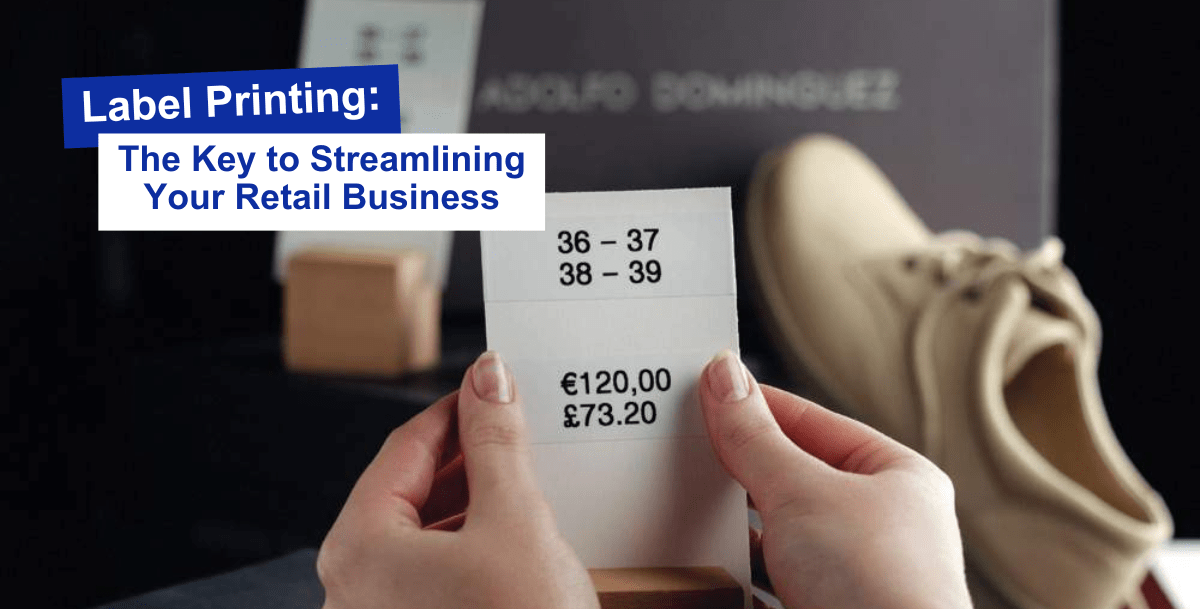
Label Printing: The Key to Streamlining Your Retail Business
In the fast-paced retail environment where every second counts, efficient labeling plays a pivotal role. Labels may seem like small, unassuming tags, but they carry a significant weight in the shopping experience. From barcode printers to price label printers, these devices ensure products are accurately priced, tracked, and presented to customers.
Continue reading “Label Printing: The Key to Streamlining Your Retail Business”