


Sign In / Sign Up To Add Wishlist
Wishlist is available for members only. Please sign in or sign up to add your wishlist.
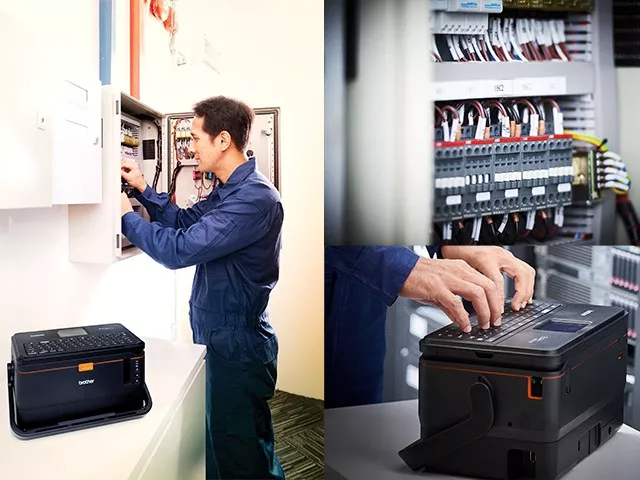
Why Brother for Cable ID & Tube Printing
Twin-Engine Design
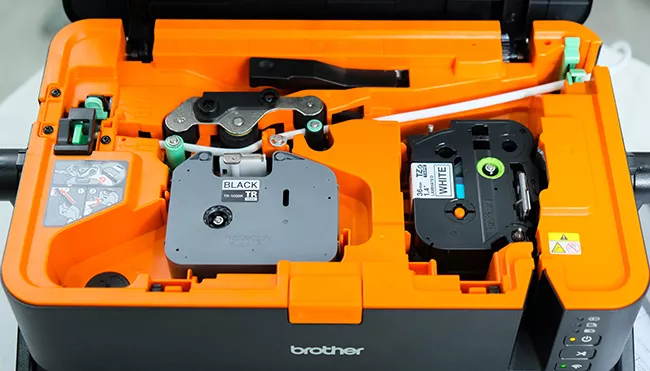
Switch between printing tubes and labels effortlessly
without the need to replace attachment or re-insert supplies
Rechargeable Li-ion Battery
Attaching a Rechargeable Li-ion battery*
and battery base* makes it possible to print
anywhere without the need for a power source
*To be purchased separately
Compact, portable design with optional rechargeable battery
Fast Print speed
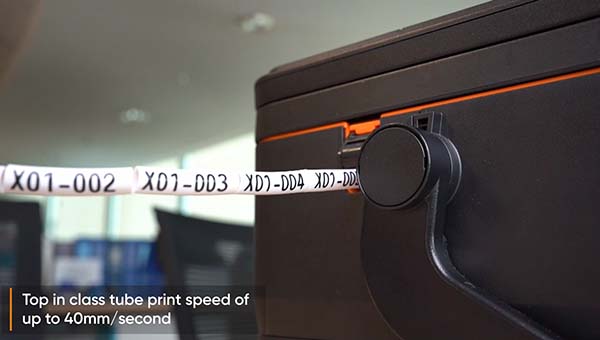
Achieve high print speed of up to
60mm/sec on labels and 40mm/sec on PVC tubes
Easy to use
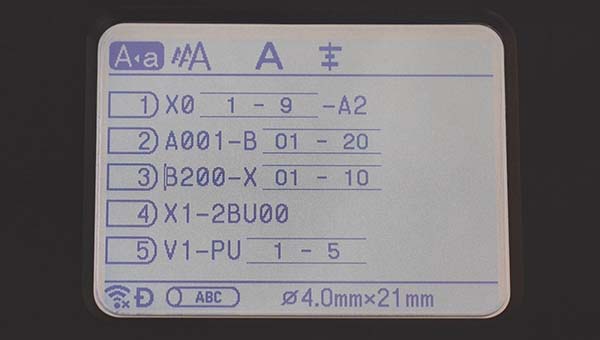
Equipped with a large LCD screen for easy
viewing of the content before sending for print
Changeable Parts
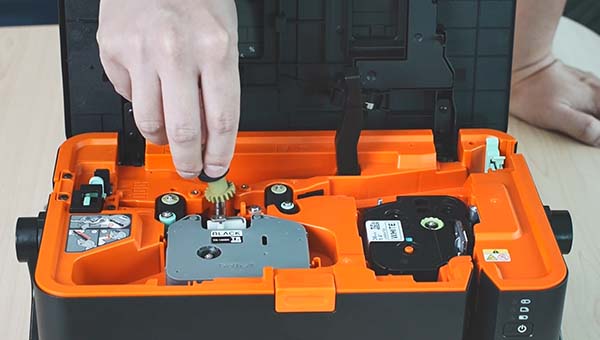
Reduce downtime by replacing
worn-out parts yourself in a few simple steps
See the PT-E850TKW in action
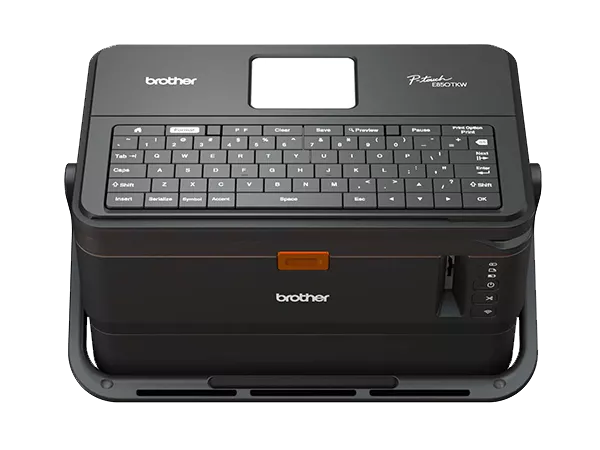
Brother’s PT-E850TKW Tube Printer
Durability that lasts
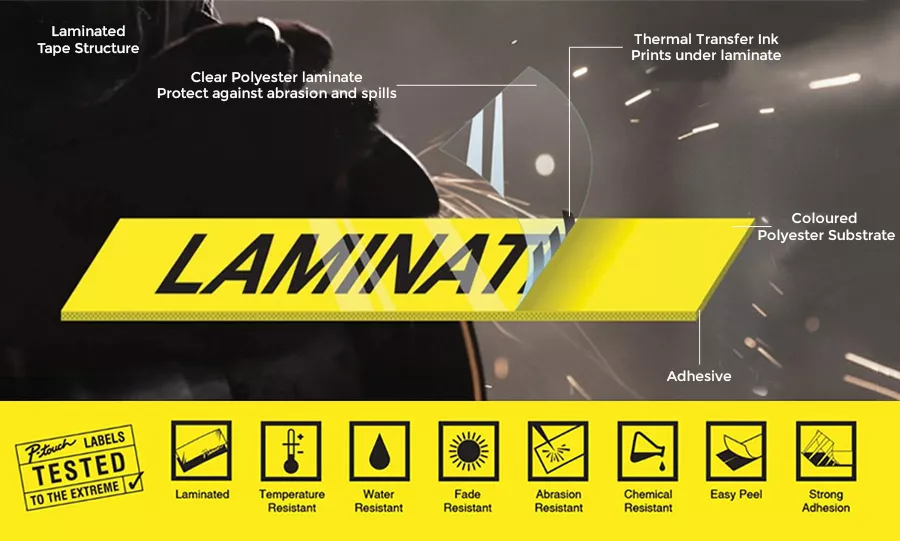
Brother’s TZe laminated tapes consist of six layers of materials, resulting in a thin and extremely strong label. Characters can be formed using thermal transfer ink that is sandwiched between two protective layers of PET (polyethylene film), which protect the text against the effects of liquids, abrasion, temperature, chemicals, and sunlight.
Click here to watch how laminated labels can withstand tough environments.
As TZe laminated labels have been tested to the extreme and can withstand tough conditions, professional quality labels have been designed to last.
Click here to see the durability test data for Brother’s TZe laminated labels.
Strong adhesive label is ideal for Panel labelling
Independent laboratory tests showed that Brother’s Strong adhesive (TZe-S series) laminated tapes can adhere three times better on average to rough surfaces than Brother’s TZe standard laminated tapes. TZe laminated label can cater to electricians and network infrastructure installers who require long-lasting labels. TZe Strong adhesive laminated label can be used on smooth, rough, textured and powder coated surfaces as follows:
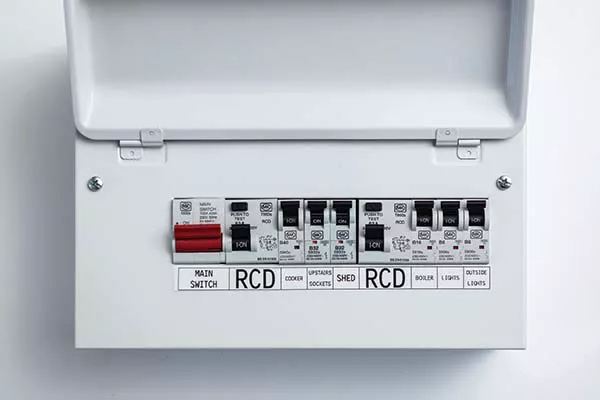
Distribution board
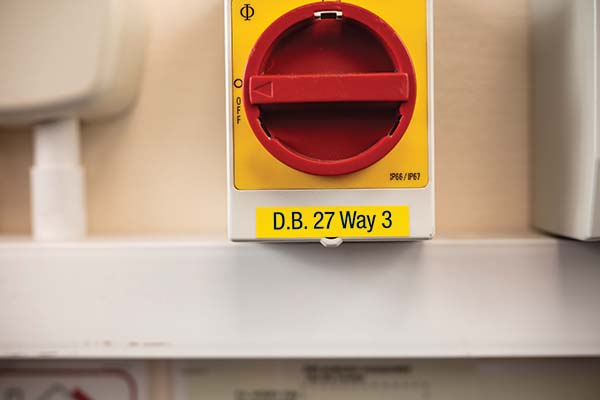
Switch
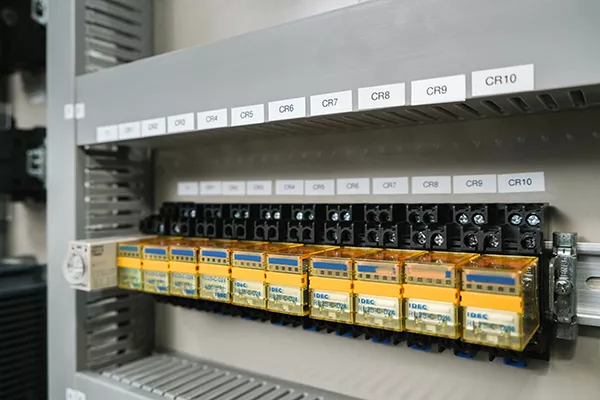
Coated metal cabinets and panels
Check our Label Printer solution here
Video showing how to use the Tube Printer in Multi-User interface
Keyboard


How to print on tubes with Brother’s Tube Printer
PC connection

How to print on tubes and labels with Brother's
P-touch Editor software and Brother's Tube Printer
WiFi for Mobile devices

How to print on tubes with Brother's Pro
Label Tool mobile app and Brother's Tube Printer
Tips: How to print on Heat Shrink Tubes
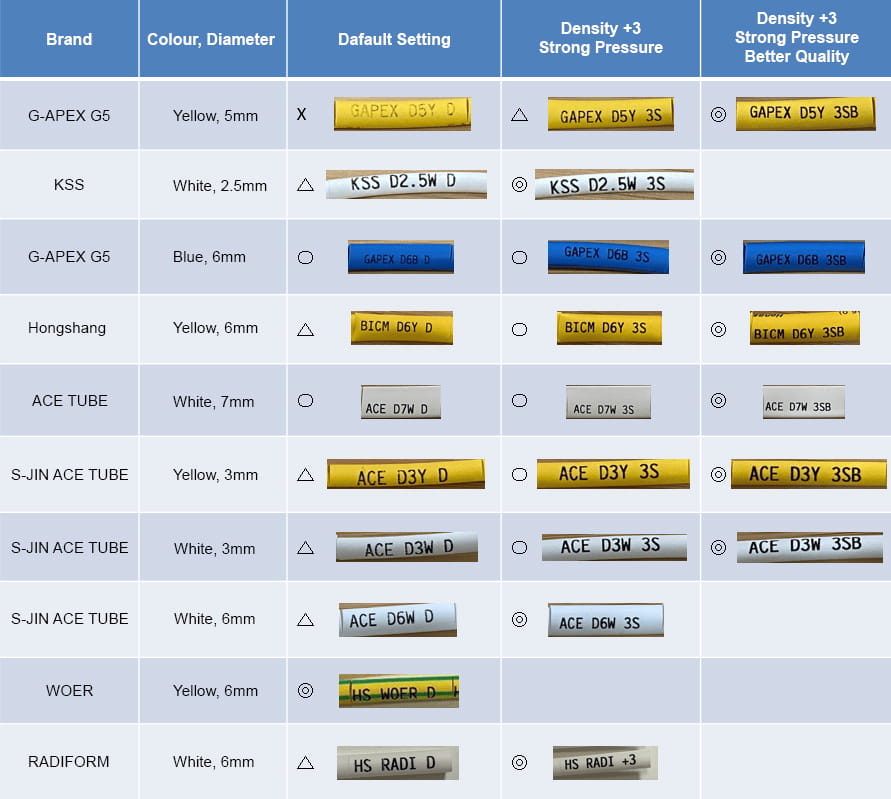
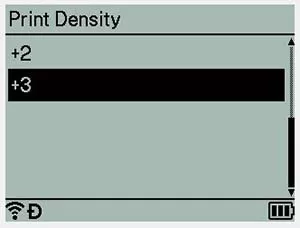
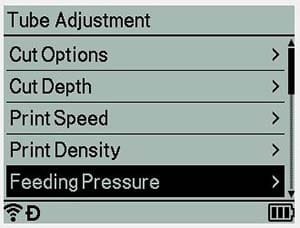
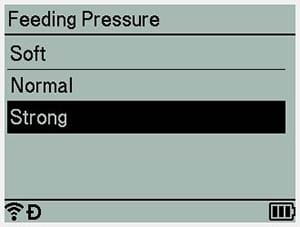
Achieving optimal print results depends on the type of tube material and coating being used. It is necessary to adjust the print head settings to achieve the best possible print quality on heat shrink tubes. Brother has conducted internal testing, and the results are shown in the table below.
Heat shrink tube print result
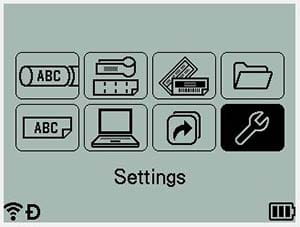
How to setup
Go Tube Setting Page
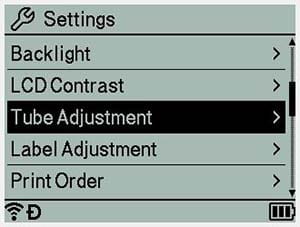
Density +3
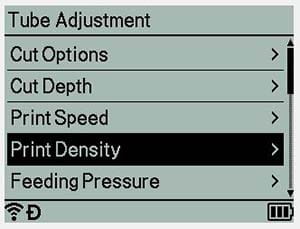
Strong Pressure
Better Quality
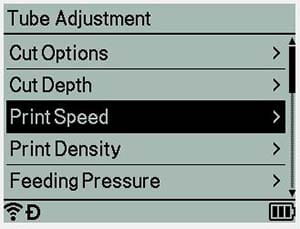
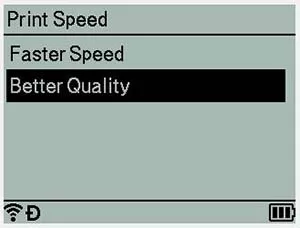
Note: With better quality setting, it will
tend to slow down the print speed.
| PT-E800T | PT-E850TKW | |
| Tube | ||
| Compatible Tube diameter | Φ 2.5mm - Φ 6.5mm | |
| Supported Tube type | PVC | |
| Maximum Print head | 6mm | |
| Print speed | 40mm per second | |
| Multiple line printing | - | up to 2 lines |
| Interface | USB | Keyboard, WiFi, USB |
| Label | ||
| Tape type | TZe, HSe (Heat Shrink tube), FLe (Flag Die-cut tape) | |
| Maximum Tape width | up to 36mm (TZe), up to 23.6 mm (HSe), 45mm x 21mm x 72pcs (FLe) |
|
| Print resolution | 360dpi | |
| Print speed | 60mm per second | |
| Cutter | Auto Full and Half Cut | |
| Multiple line printing | - | up to 17 lines |
| Label collection | - | available from Pro Label Tool templates |
| Interface | USB | Keyboard, WiFi, USB |
| Pro Label Tool mobile app | - | Yes |
| General Specification | ||
| Hardware dimension (W x D x H) mm |
338mm (W) x 188mm (D) x 151mm (H) | 338mm (W) x 188mm (D) x 173mm (H) with keyboard |
| Hardware weight | 3.9kg | 4.6kg |
| Keyboard | - | Yes |
| Number of built-in symbols | - | 465 |
| Package content | ||
| Part Number | PT-E800T | PT-E850TKW |
| Tape cassette (bundled) | TZe-261 36mm Black on White laminated tape (8m long) | |
| Black ink ribbon (bundled) | TR-100BK (100m long) | |
| Tube cutter (bundled) | PA-TC-001 | |
| Tube cleaner (bundled) | PA-CL-001 | |
| Conveyance rollers (bundled) | PA-RL-001, PA-RL-002, PA-RL-003 | |
| Power supply | AD-9100ESA AC power adapter | |
| Optional accessories | ||
| Rechargeable Li-ion battery | PA-BT-4000LI | |
| Battery base | PA-BB-003 | |
Accessories and Consumables
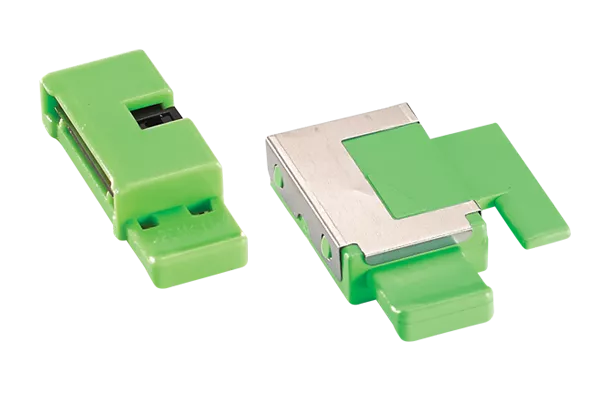
PA-TC-001
Tube cutter
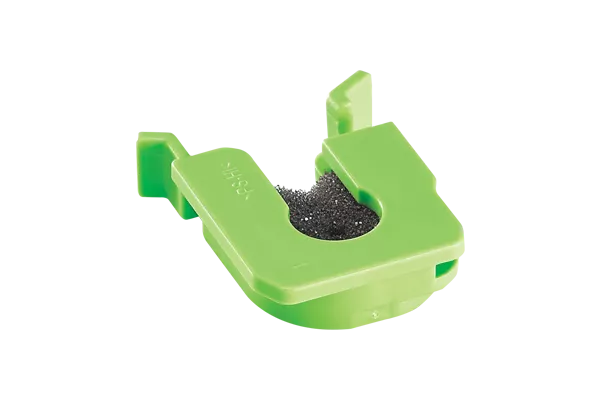
PA-CL-001
Tube cleaner
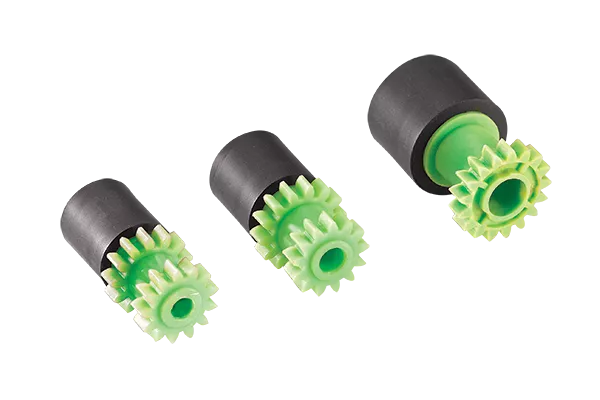
PA-RL-001, PA-RL-002,
PA-RL-003 Conveyance rollers
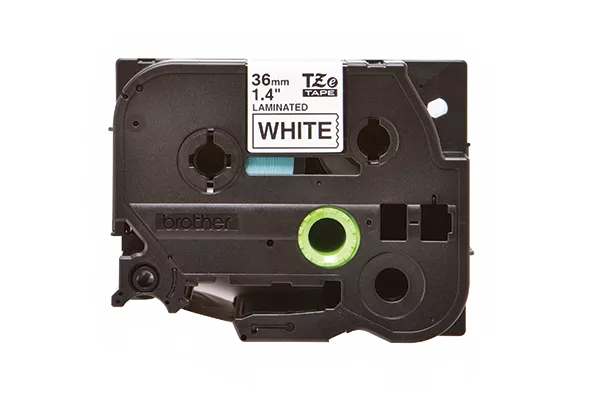
TZe tapes
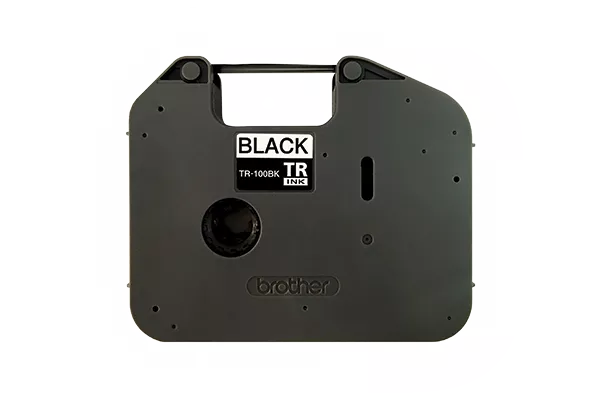
TR-100BK
ink ribbon
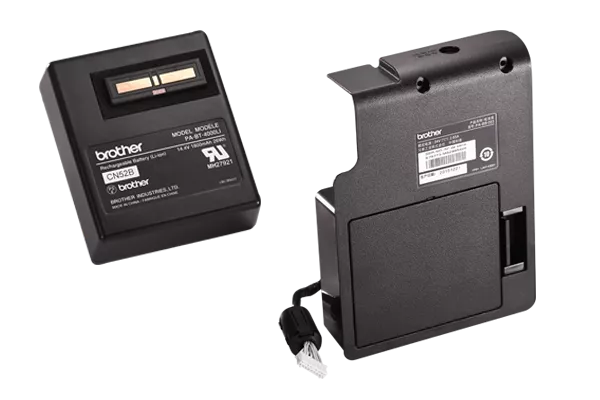
PA-BT-4000LI Rechargeable
Li-ion battery, PT-BB-003 battery base
CONTACT OUR TUBE PRINTER EXPERTS TODAY!
Frequently Asked Questions
-
What is a cable ID (tube) printer used for?A cable ID (tube) printer prints identification markers directly onto heat shrink tubes, PVC tubes, or laminated labels that are wrapped or slid onto wires, cables, and equipment. It's used by electricians, network infrastructure installers, and panel builders to label cables, patch panels, switches, and distribution boards so they can be quickly identified during installation, maintenance, and troubleshooting.
-
What makes Brother's tube printer different from other cable ID printer brands?Brother's PT-E850TKW is built around a twin-engine design, a single device that prints both PVC/heat-shrink tubes and TZe laminated labels without needing to swap attachments or re-insert supplies. Most tube printers on the market require a dedicated tube attachment or a separate device entirely to switch between tube and label printing, which adds setup time and means carrying more equipment on-site. The twin-engine mechanism is positioned as an industry-first for this reason, letting electricians and panel builders handle both tube and label jobs from one printer.
-
What is the best tube and cable ID printer for electricians in Singapore?For electricians and network installers in Singapore, Brother's PT-E850TKW is built specifically for this use case, it's a twin-engine printer that prints both tubes and TZe laminated labels from one device without swapping attachments, supports a QWERTY keyboard for on-site editing, and connects via WiFi, USB, or Brother's Pro Label Tool mobile app.
-
What tape width does the PT-E850TKW support?The PT-E850TKW supports Brother's TZe laminated tape up to 36mm wide, HSe heat shrink tube up to 31mm wide, and FLe flag die-cut tape at 45mm x 21mm. It also handles PVC tubes from Φ2.5mm to Φ6.5mm in diameter.
-
Can a tube printer print on compatible heat shrink tubes?Yes. The PT-E850TKW and PT-E800T both support compatible HSe heat shrink tube cassettes up to 31mm wide, in addition to standard PVC tubes and laminated labels. Brother recommends adjusting density and feed pressure settings for optimal results on heat shrink material. See the printer's Tube Setting menu.
-
Can a tube printer print from a computer or smartphone?Yes. The PT-E850TKW connects via USB for PC printing (using Brother's P-touch Editor software), via WiFi for wireless printing, and via Brother's Pro Label Tool mobile app for printing from a smartphone or tablet. It also has a built-in QWERTY keyboard for standalone use without any connected device.
-
How does the twin-engine design make cable and panel labelling faster?The twin-engine mechanism lets you switch between tube printing and label printing on the same device instantly, with no attachment changes or supply re-insertion. Combined with print speeds of up to 60mm/sec on labels and 40mm/sec on tubes, this is designed to cut turnaround time for electricians and panel builders working through multiple labelling tasks in a single job.
-
What makes Brother's laminated labels durable enough for panel builders?Brother's TZe laminated tape is built from six layers, with thermal transfer ink sandwiched between two protective PET film layers. This protects text against liquids, abrasion, heat, chemicals, and sunlight. For panel builders, the TZe-S strong-adhesive range is tested to adhere roughly three times better than standard TZe tape on rough, textured, and powder-coated surfaces. These are the finishes common on distribution boards, switches, and metal enclosure panels.
-
Can the PT-E850TKW be used outside of typical job-site or industrial settings?Yes. With the optional rechargeable Li-ion battery and battery base, the PT-E850TKW can print without a power outlet, making it usable for home organization, small workshop labelling, or personal projects, not just industrial and electrical job sites.